





License Activation
Follow these steps to activate the aBlocks license:
Step 1: Login Information
Upon purchasing the aBlocks Pro version, you will receive an email from the Kodezen store containing your login information for your aBlocks account.
The video below demonstrates how to activate all Kodezen product licenses.
Step 2: Logging in and Downloading
- Log in to your aBlocks account using the provided login credentials.
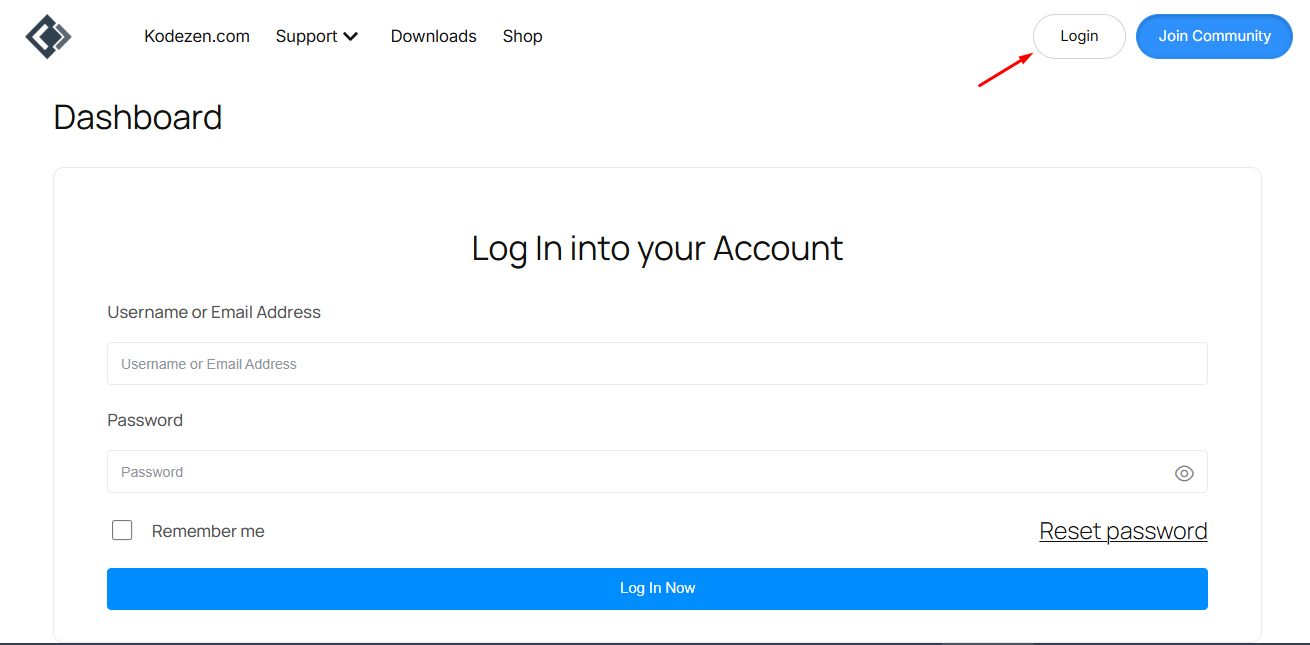
- After logging in, access the dashboard, where you will find a download option.
- Click on the download option to download the aBlocks Pro version.
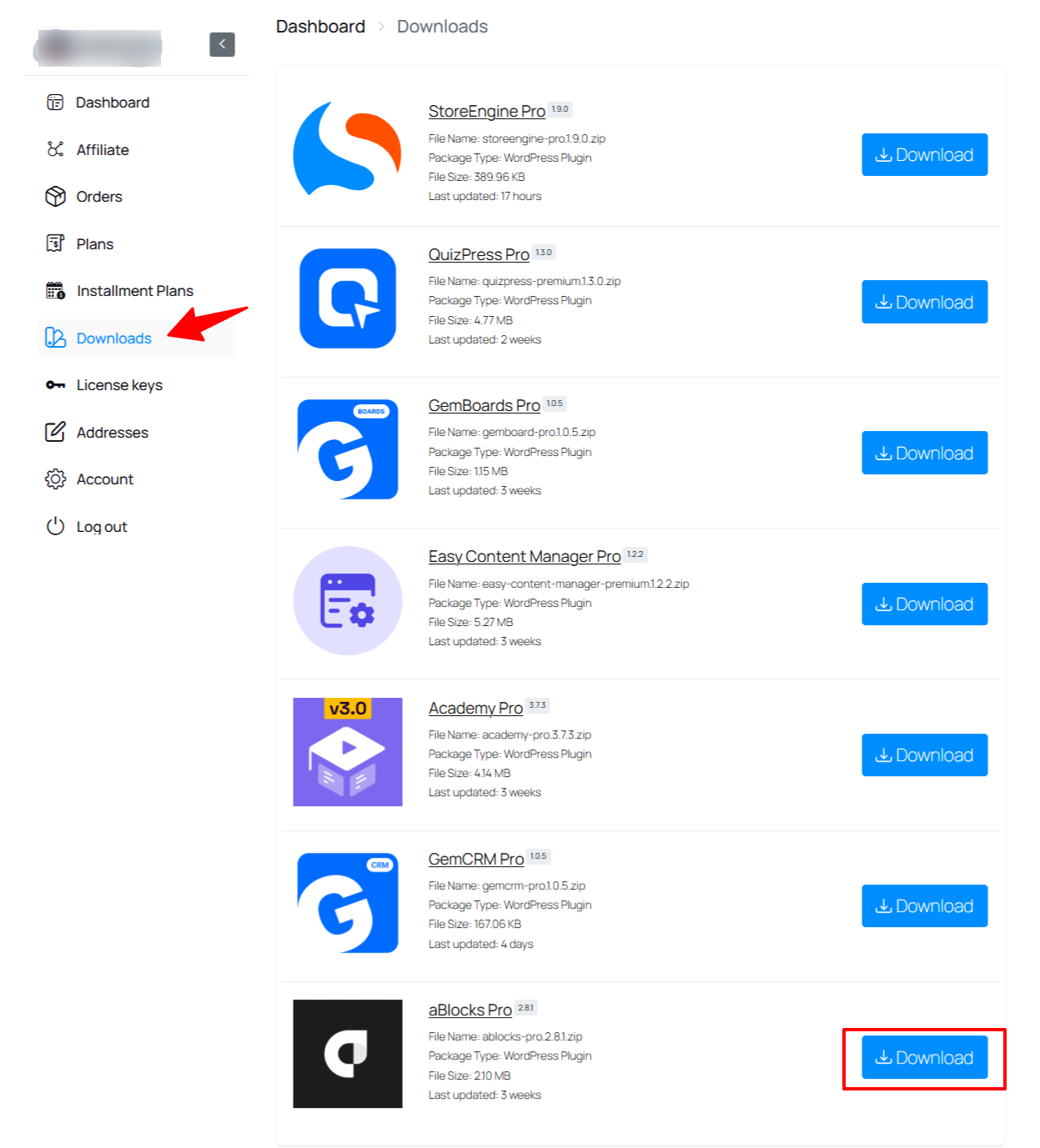
Step 3: Installation
- Once the plugin is downloaded, follow these steps to install aBlocks Pro successfully:
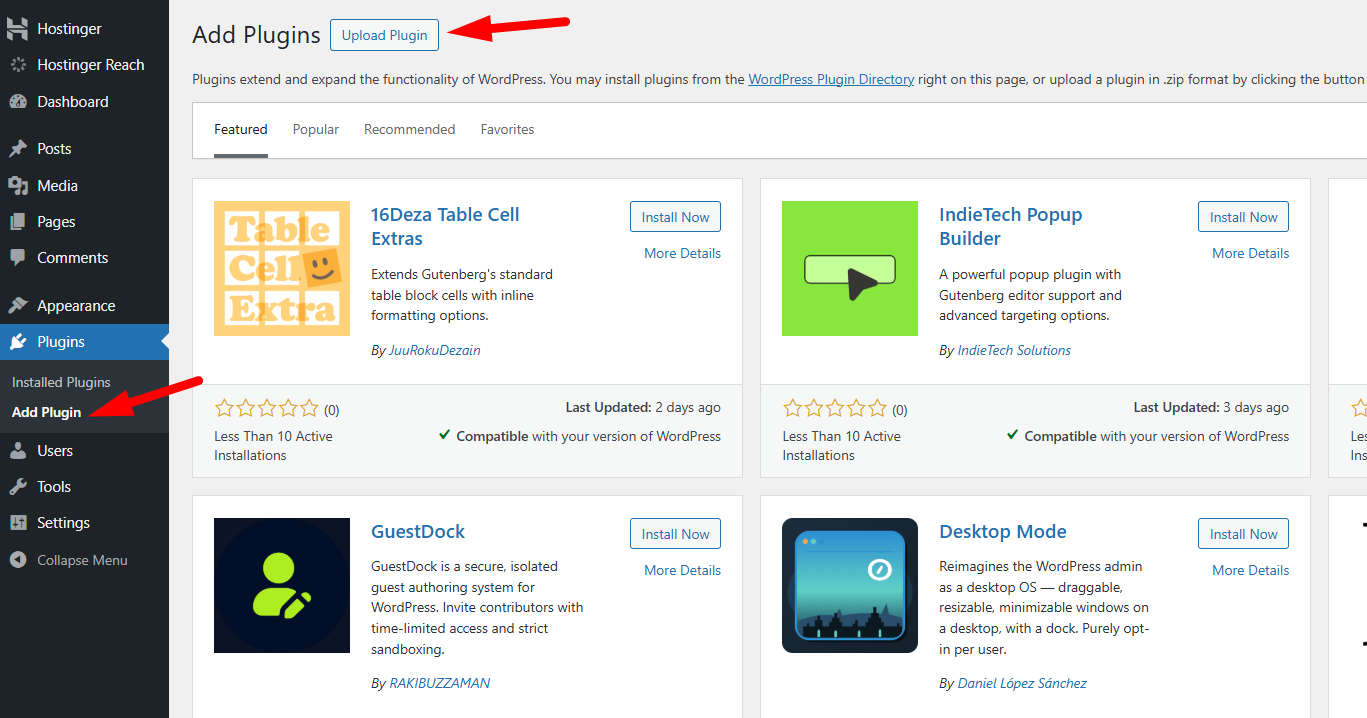
a. Go to your WordPress site dashboard.
b. Navigate to Plugins > Add New.
c. Click the “Upload Plugin” button located above and next to the “Add Plugins” button.
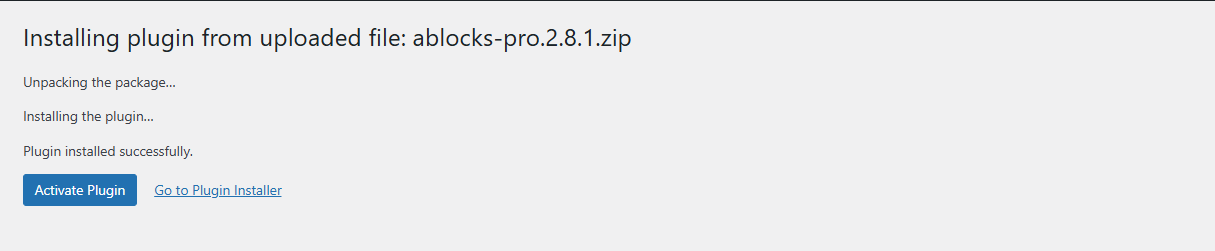
e. After successful installation, activate the plugin.
Step 4: aBlocks Free Version
Note that it is necessary to have the aBlocks free version installed to use the aBlocks Pro version.
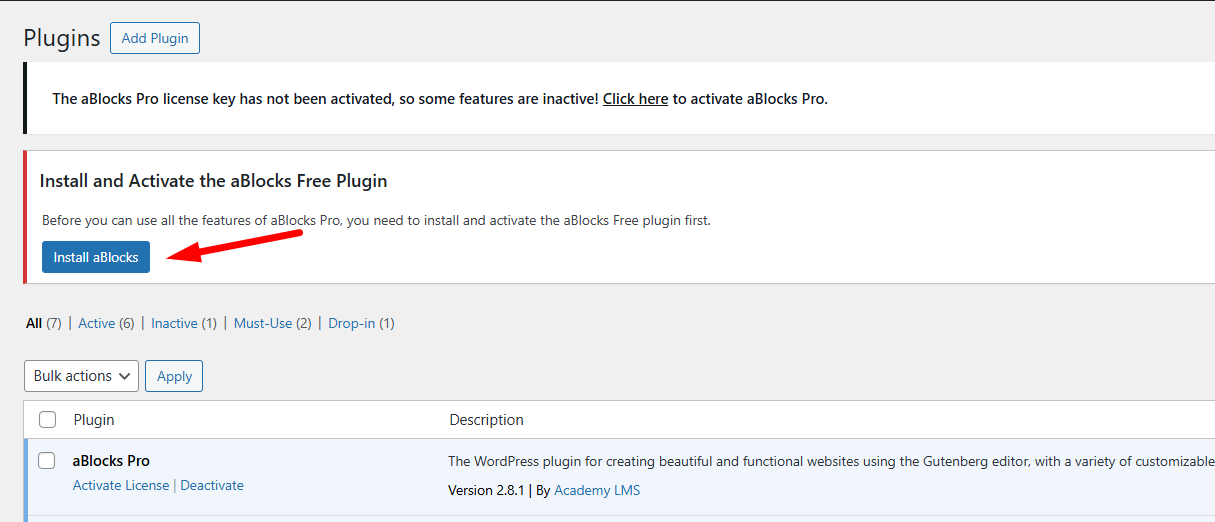
Step 5: aBlocks License Activation
- Return to your aBlocks account and access the License section from the dashboard.
- In the License section, you will find your aBlocks Pro License key. Copy the license key.

- To activate the license, go to aBlocks from your WordPress dashboard.
- Click on License from the aBlocks menu option.
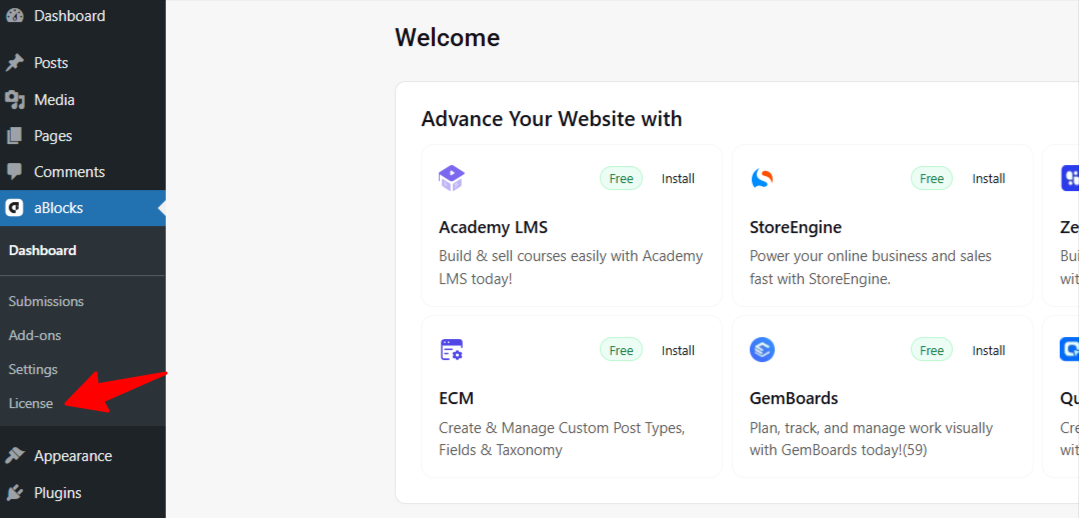
- Paste the copied license key and click “Activate License” to activate the aBlocks Pro license.
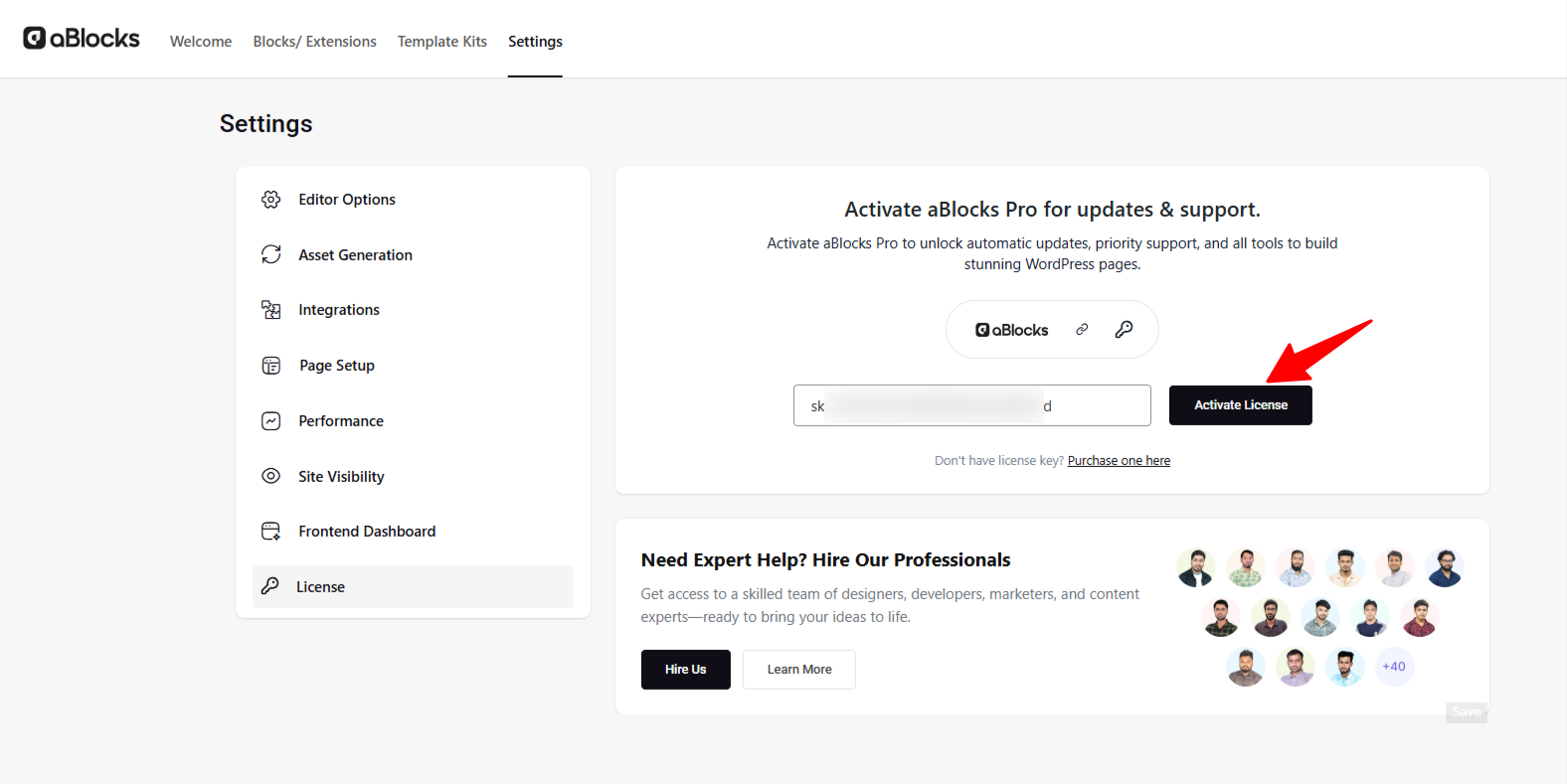
Your aBlocks license has now been successfully activated.For video tutorials, subscribe to our YouTube channel. Join our Facebook community to ask questions. Stay updated with our latest news by following us on Twitter.